Organize your sessions without rebuilding your program
Your turn at the drums
Check your kit and audio setup, then try the coach for free. Full practice and tracking come with the subscription.
Check my kit, try the coachYou come back to the same grooves, but not always at the same tempo or with the same amount of time. Keep one practice outline and adjust a single date instead of creating a new program for every session.
The program sets the outline
A program puts grooves, and optionally metronome slots, in order. Each entry has a duration target in minutes or bars, and a groove also has a tempo. Different entries can call for different tempos.
Editing the program changes that outline. Scheduled sessions keep pointing to it; they are not frozen copies of an earlier version. For a one-off change, use the session settings in Planning.
A session adds a date and its own targets
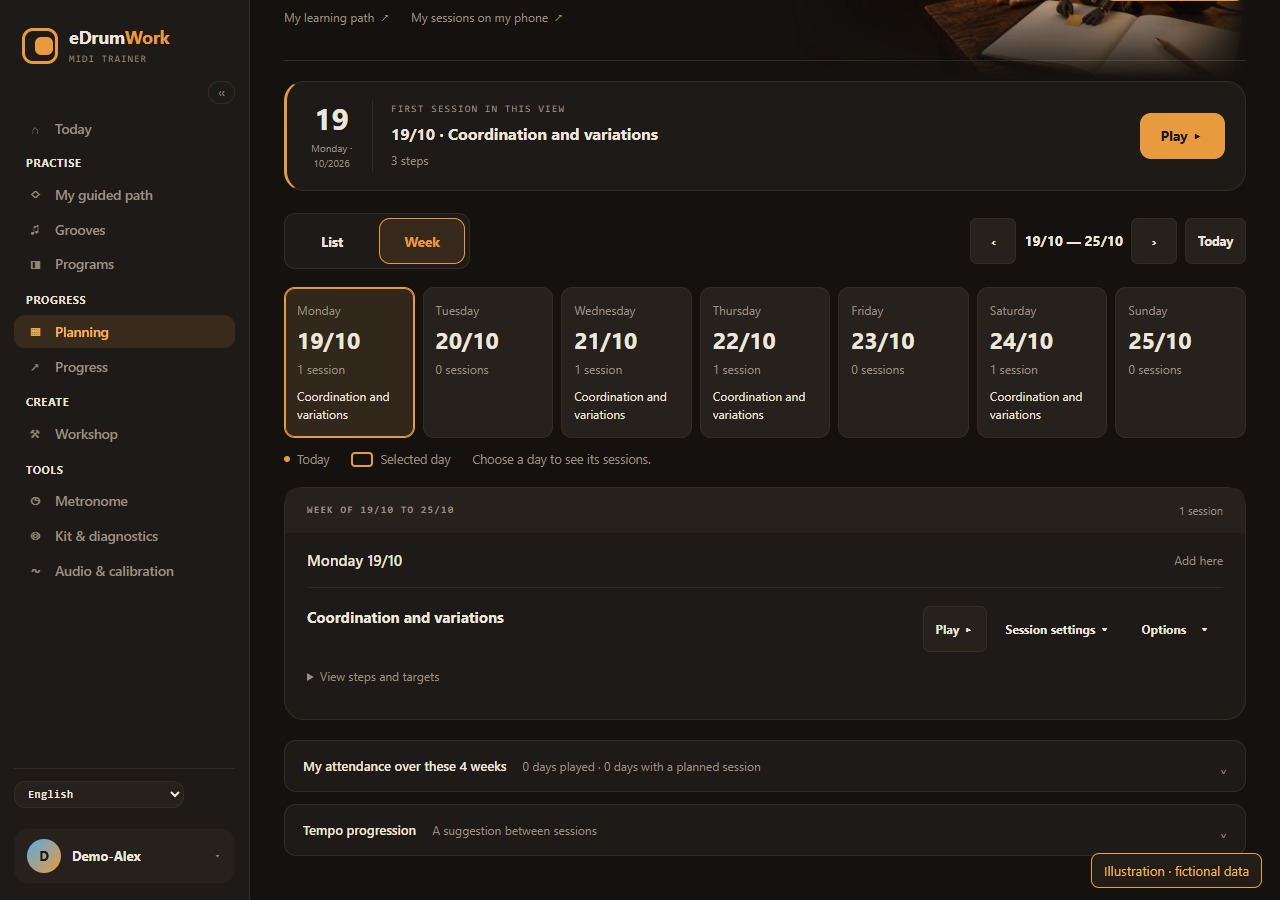
Schedule the program on the dates you want, then browse the List or Week view. In a session’s settings, adjust an entry’s tempo or duration. Those targets belong to that date and leave the program unchanged.
For example, keep a groove at 90 BPM in the program and aim for 75 BPM on Wednesday. Shortening it is a separate choice, and minutes and bars keep their units. Recurring dates created in Planning are still separate sessions.
Know what postponing changes
On a phone, My sessions shows today, overdue sessions and the days ahead, and lets you postpone an eligible session after confirming. You still play on your practice device.
Postponing an overdue session changes its date, and its earlier “missed” status disappears from attendance and from your commitment streak. That changes your history, and the confirmation says so. Scheduling does not come with automatic reminders.
Keep a clear next step
A short session benefits from focusing on one passage. After playing, read the summary before choosing what comes next. A planned date does not mean you played or mastered the groove.
Full practice, scheduling and progress tracking are included in the subscription. See how the trial works before organizing your practice.