From assigned practice to shared progress
Assign grooves and practice programs to your electronic drum students, then review the results of their practice between lessons with eDrumWork.
The teacher space is not open on this instance yet.
Pilot limited to adult teachers and students.
Plan the next lesson around what your student actually played. eDrumWork brings together the exercises you assign, how the student prepared them and the reports they choose to share, with no messaging and no instructions to write.
Four steps from lesson to practice
- Connect one to one. Request activation of your teacher space, then create an individual invitation. The student accepts the connection and sets separate permissions for receiving work and for sharing.
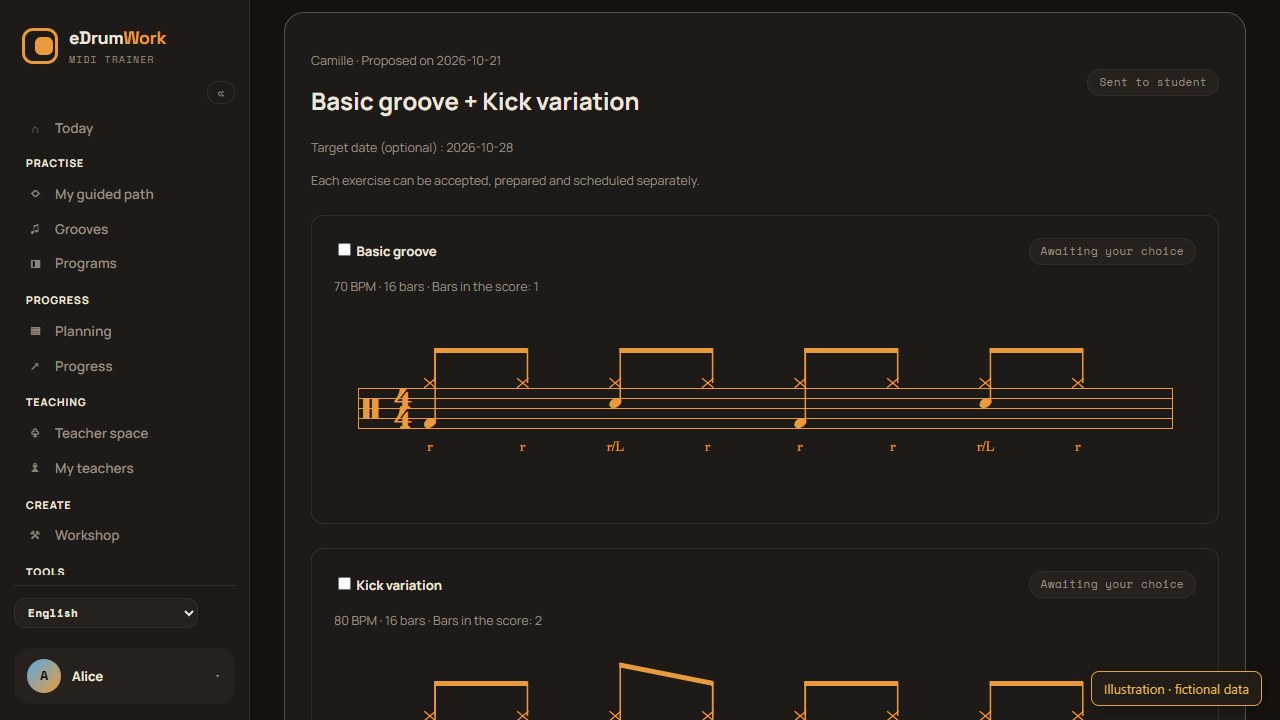
- Assign specific work. Pick one or more exercises, or an ordered program. Set the tempo and duration of each exercise, and optionally suggest a method, a passage and a target date.
- Let the student organize their practice. Separate exercises can be accepted one by one. The student prepares a passage, plays the exercise and can add it to their planner if they want. A program keeps its order.
- Look at the same reports. Teacher and student see the same shared musical report: the score as played with its error marks, the exercise conditions, the tempos practiced and the coach findings that were saved.
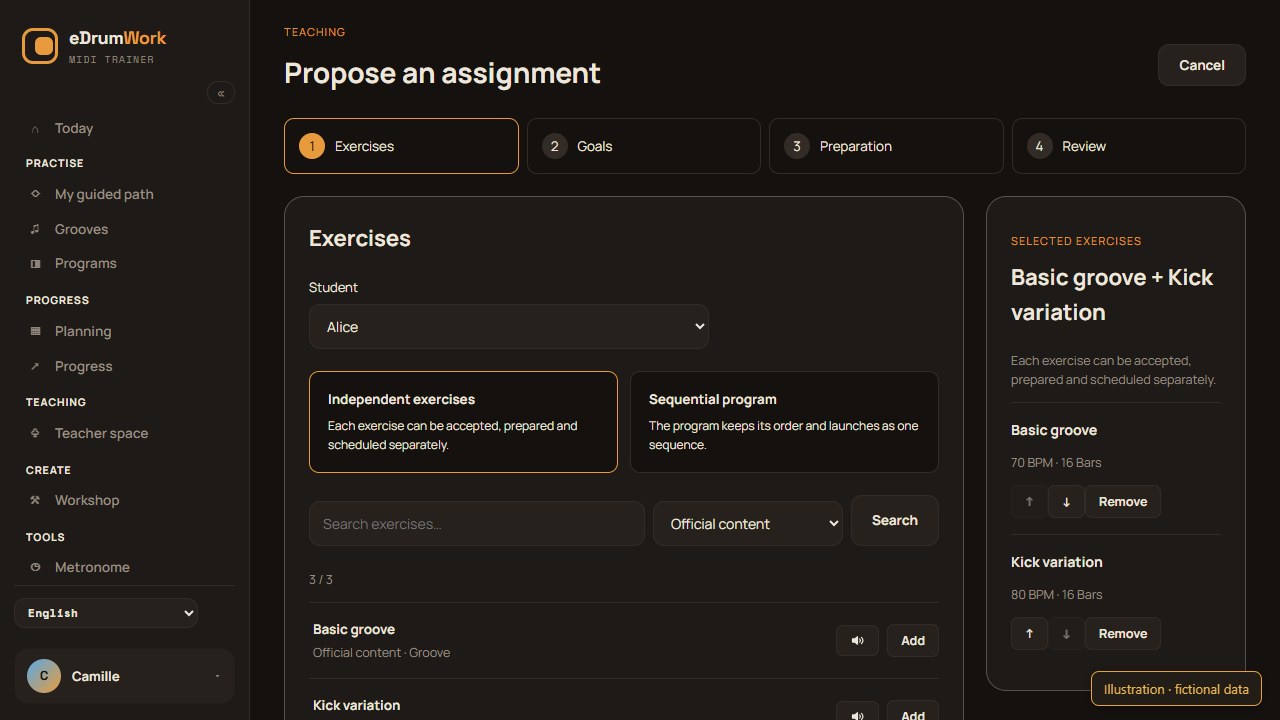
Choose exercises and prepare a passage
Search the official catalog or your own private creations, then listen to an exercise and look through every bar of its score before adding it. Several exercises can make up one assignment without building a program in the Workshop.
Set the target duration in bars or minutes. Preparation can target a passage of several bars and selected voices, using “Step by step” without a metronome or “Listen, then play” at the chosen tempo. You can try this preparation in Learn on your own account. The student can then adapt it; the report describes the conditions they actually played under.
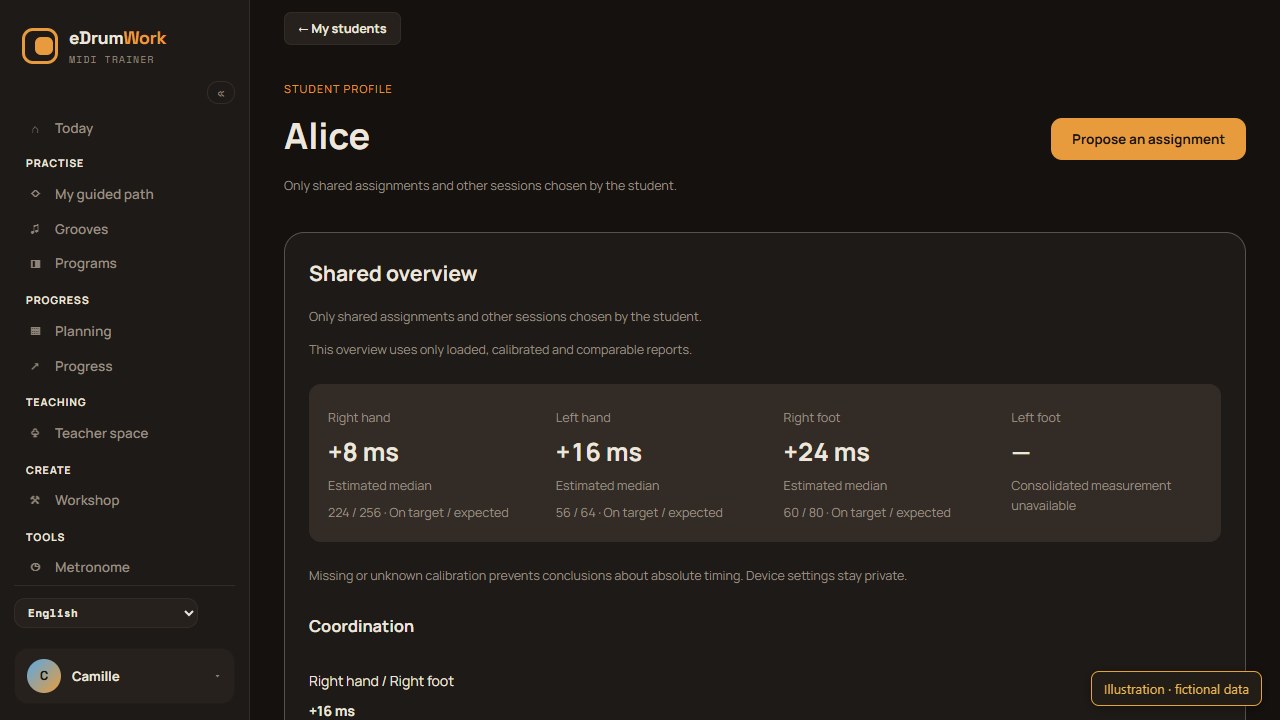
A student profile for the next lesson
The profile has three areas: a summary of shared measurements by limb and coordination, the assignment history with its results, and current and upcoming work. Issues the coach still flags are kept separate from those it has explicitly found to be absent.
Missing data is shown as unavailable. Absolute timing summaries use calibrated sessions in comparable conditions and never mix different kits or grading settings. A gap between two limbs can also come from how the pads trigger. These measurements support what you hear in lessons; they don’t judge posture or musicality as a whole.
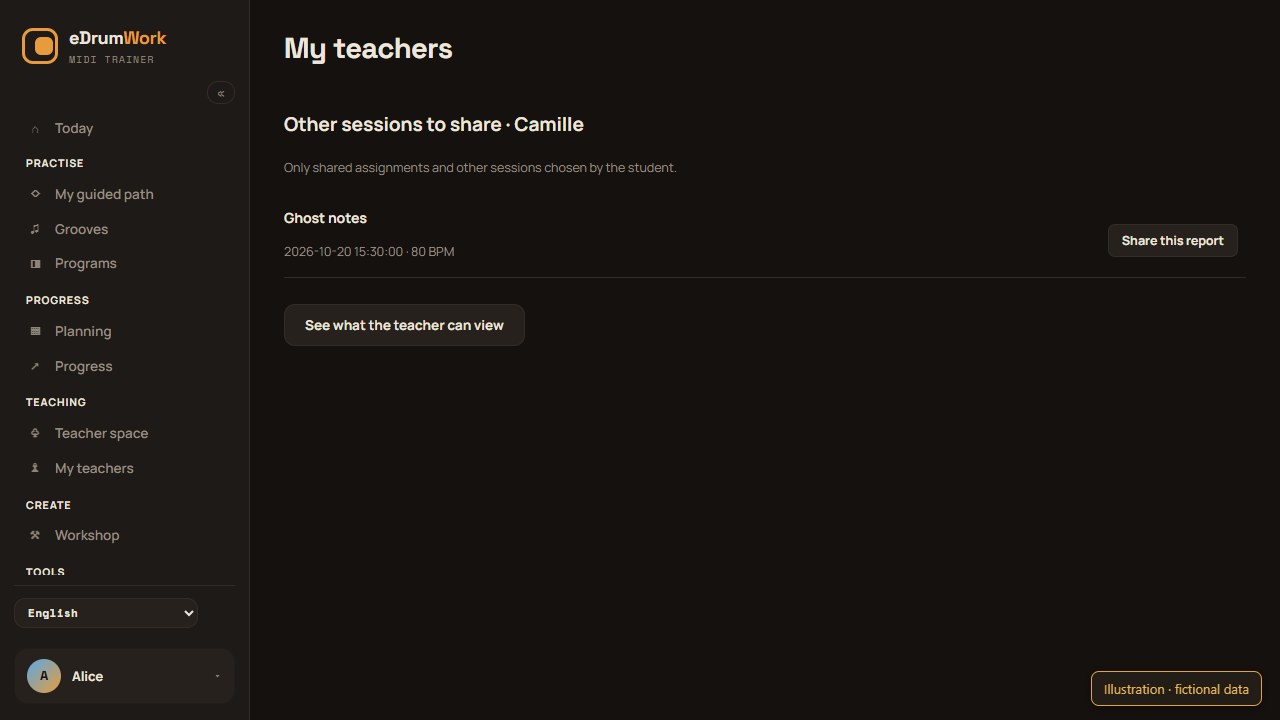
Students decide what’s shared
Sharing assigned reports, preparation results and assignment dates are three separate permissions. For an assignment, sharing must be allowed both when the session starts and when the teacher views it. A student can keep a single session private even when general permission is on.
For their own practice, students pick each additional report they want to share with a teacher, and can withdraw it. The rest of their logbook, their reflections, their kit and device settings and their connections with other teachers stay private. The report only indicates whether calibration was known when the student played. Ending the connection removes the teacher’s access.
There is no messaging, no free-text comments and no attachments. Work is proposed through exercises and goals; teaching discussions stay in your usual lesson communication channel.
Access and equipment
The pilot is limited to adult teachers and students, and each teacher is approved by an administrator. Whether the teacher module is open depends on the instance. At launch, approved teachers get full access free of charge; students need an active subscription for assigned practice, with no trial period in this flow.
You can prepare and review without a kit connected. Graded exercises need a compatible MIDI connection and browser. See pricing, Kit & diagnostics and our privacy policy.
Teacher guides
Prepare a drum practice passage for a student
Suggest a passage, voices and a preparation method while keeping the assignment goals. Read shared preparation results in their playing context.
Create a drum practice program for your students
Build a program from your grooves, adapt tempo and duration for each student and review each step without changing your original teaching material.
Which MIDI practice results are useful to drum teachers?
Understand timing, variation, tempo, missing hits and dynamics in MIDI drum practice results, including what these measurements cannot tell a teacher.
How to track a drum student’s practice between lessons
Set clear drum practice assignments and review recorded sessions before the next lesson: completed steps, tempos played and useful MIDI measurements.
Set a target tempo for a drum student
Tie a target tempo to a specific score and a duration, and keep the assigned tempo apart from the played tempo when planning the student’s next step.