Build a drum practice program without starting over for every student
TeachersTwo students can play the same score with different goals: one is learning the coordination, the other is consolidating it at a higher tempo. Keeping the music separate from individual goals lets you reuse your preparation while giving each student the right work.
Students choose their permissions for each teacher. You see results for work you assigned when sharing was turned on at launch and the student still allows you to view results. They can also share other personal practice sessions individually and withdraw that sharing.
Create a short, ordered sequence
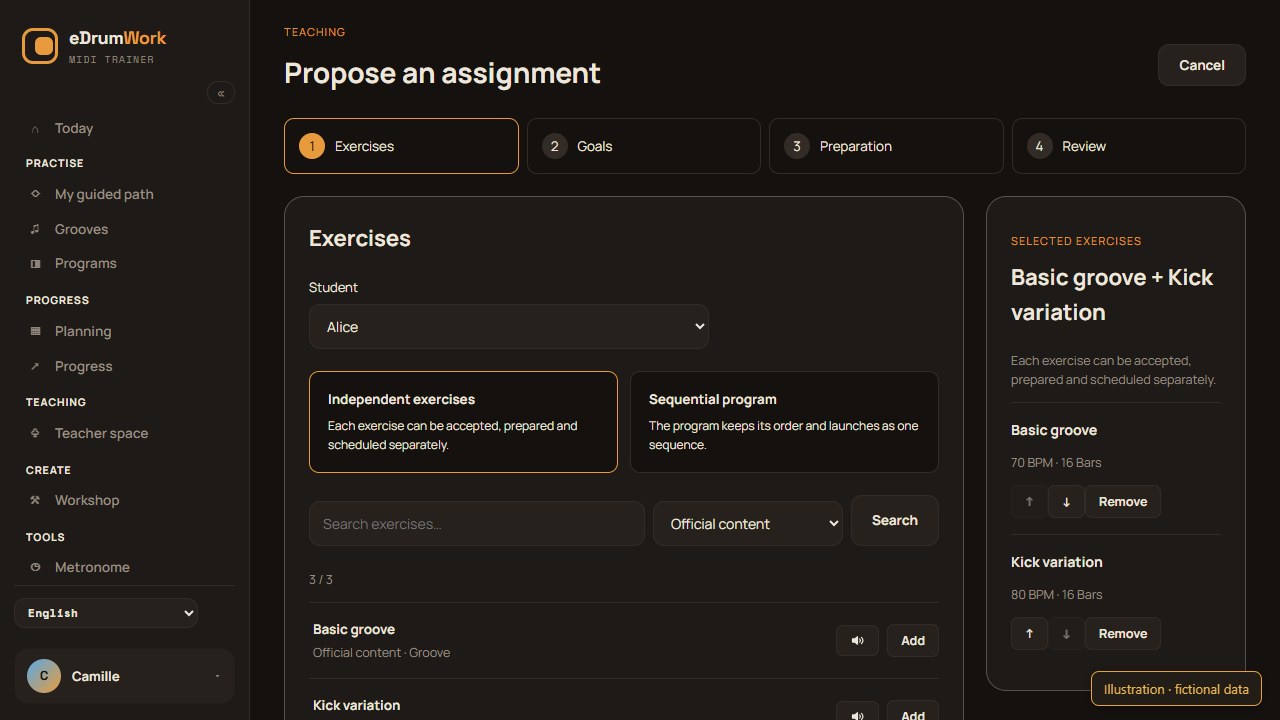
A program sequences exercises, each with a tempo and duration. You can also assign independent exercises that students accept and plan separately; a program keeps its sequence. Use the official catalogue or your Workshop creations. Metronome-only steps are not supported in a program.
You might go from familiar material to a variation, then to a more demanding version. Choose an order that fits your lesson; no single order works for everyone.
Give each step its own goals
Different difficulties do not have to share one tempo. Set a tempo for each groove and a duration in minutes or bars. Stick to the unit you chose: 16 bars and five minutes are different instructions, and how they relate depends on tempo and time signature.
An optional target date gives a checkpoint before the next lesson without booking anything.
You can suggest preparation for each exercise: a passage, voices and method. The student can adapt it; results describe the conditions actually played.
Example: shared music, individual targets
Imagine three fictional grooves: a basic pattern, a kick variation and a ghost-note version. You might set 70, 80 and 70 BPM, with 16 bars per step, for one student. For another, keep the music and lower only the variation to 65 BPM.
These numbers show how you can tailor the work, not thresholds to recommend to everyone. Each student gets a separate assignment, and results are not a leaderboard.
Keep assigned work stable
Changing an assignment’s goals does not edit your source program. Once sent, the assignment keeps its score, order and goals, even if you edit your library later. To give a new version, send a new assignment. You can use private creations in assigned work without exposing your whole library.
Review what was played
Look at the steps with results and the tempos actually played. Starting slower is something to discuss, not an automatic failure. A missing result does not prove the student did not practice elsewhere.
For a session to be assessed, the student must launch the assignment on a compatible kit connected over MIDI. You can prepare work and read results without any drums connected. Discuss changes in lessons or through your usual channel; eDrumWork has no teacher–student messaging.
Read our guide to setting a target tempo.