MIDI practice results: what should a drum teacher look at?
TeachersA session result describes MIDI hits compared against a score and assessment rules. It does not sum up a musician. Its value for teaching lies in pointing to specific questions to go over with the student.
Students choose their permissions for each teacher. You see results for work you assigned when sharing was turned on at launch and the student still allows you to view results. They can also share other personal practice sessions individually and withdraw that sharing.
Read average timing and variation together
The signed mean timing error indicates a tendency to play early or late. The dispersion shows how much those errors vary. A mean close to zero does not necessarily mean consistent timing.
For example, fictional hits alternating 20 milliseconds early and 20 milliseconds late can average out near zero. That is not the same as hits that land close to the target every time, or a fairly steady offset in one direction.
Check the tempo and assessment conditions
Keep three tempos apart: the one you prescribed, the starting tempo the student chose and the tempos actually played. A result at a slower tempo says nothing yet about the same performance at the target tempo.
Before comparing sessions, check the score, its version, the tempo and the assessment rules. Saved results stay tied to the scoring rules of their session. A single grade is not enough, and averaging grades from different conditions can mislead.
The student profile consolidates absolute timing only from loaded, calibrated results with comparable conditions, keeping different kits or scoring rules separate.
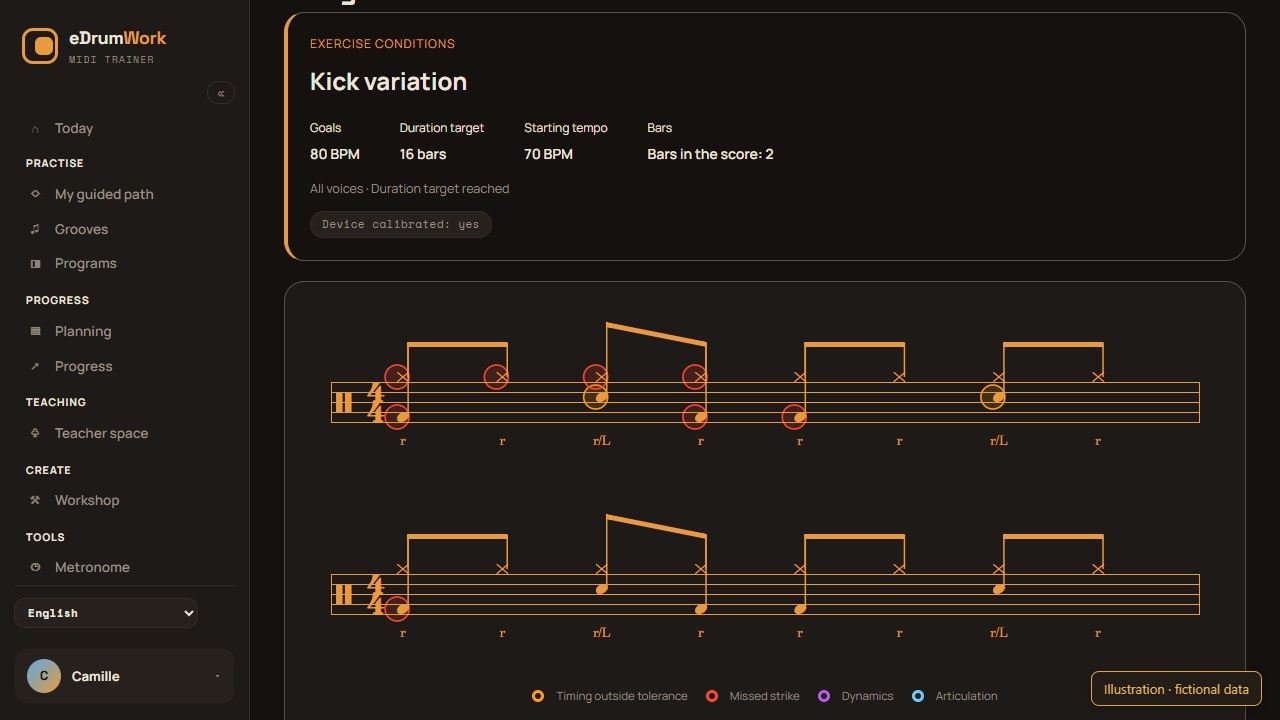
Missing and extra hits also raise equipment questions
A missing MIDI hit can be a note the student left out or a detection problem. An extra hit can come from the playing or from an unwanted trigger. The result cannot tell you the physical cause on its own.
If a pad keeps behaving oddly, use the eDrumWork MIDI diagnostic. The software sees what the module sends, not the drummer’s movements.
Interpret dynamics with calibration in mind
MIDI velocity is the intensity value sent by the module. It can help you look at ghost notes and accents when the score, the available data and the calibration support that reading.
Velocity is neither a universal measure of physical force nor a recording of timbre. Module settings and pad response affect it, so compare across kits with care.
Know what remains outside the data
MIDI does not film posture or record acoustic sound. It cannot describe all of musicianship or prove who played. Only personal sessions the student chose to share are visible. Missing or sparse data do not support any conclusion about progress.
You see sessions launched from your assignments and other sessions the student chose to share. The rest of their log and other teachers’ assignments stay private. There is no teacher–student messaging; discuss the measurements in your next lesson.
Turn these observations into goals with our guide to target tempos.